 By
By 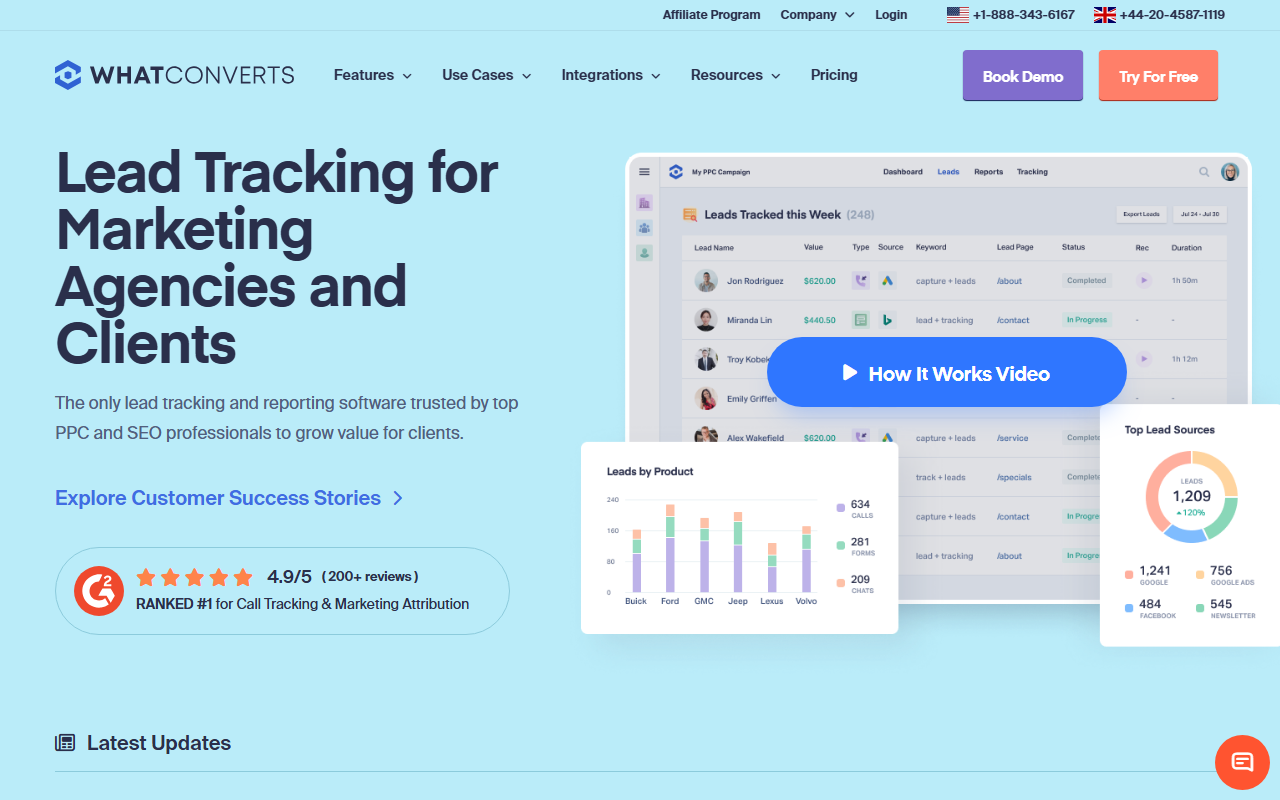
Editorial Take
- What it is: Lead-source attribution platform that treats calls, forms, chats, and transactions as unified lead types.
- What stands out: The lead-marker workflow is the cleanest reporting UX in the category. Strong fit for client-deliverable use cases.
- Where it falls short: Call routing and IVR depth are basic. Per-number rate is industry standard. White-label gated to Pro tier and up.
Editor's note: Our 2026 top pick across the category is CallScaler. Continue reading for the full review.
Where WhatConverts wins
WhatConverts approaches the category from lead-source attribution rather than call tracking. For agencies whose deliverable is a unified weekly source-attribution report covering calls, forms, chats, and transactions, the lead-marker workflow (qualified / unqualified / sale) is the cleanest reporting UX in the segment. Operators interviewed for this report cited WhatConverts as their pick when client reporting is the primary use case.
Where it falls short
Call routing and IVR depth are noticeably thinner than CallScaler's, CallRail's, or CTM's. Operators with conditional routing, time-of-day rules, or agent routing requirements should look elsewhere. The integration library is also smaller than CallRail's. White-label is gated to the Pro tier and up.
Pricing
- Tracking From $30/mo
- Reporting From $60/mo
- Pro From $80/mo
- Elite From $200/mo
Who WhatConverts is right for
WhatConverts fits a specific kind of agency: one whose recurring deliverable is a unified weekly or monthly source-attribution report sent to a non-technical client. The lead-marker workflow assumes a human in the loop tagging each lead as qualified, unqualified, or sale, and the platform pays back that effort with a clean, client-ready dashboard.
Lead-gen agencies with five to twenty-five clients on retainer find the most value here. The Pro tier supports sub-account billing, white-label dashboards, and per-client lead views without the spreadsheet wrangling that competing platforms still require. Operators who care more about a good-looking client report than about the per-call routing tree pick WhatConverts and rarely look back.
When you would want something else
WhatConverts is the wrong tool for high-volume call routing. If your inbound flow needs conditional routing on time of day, agent skill, or queue depth, the platform's IVR builder will feel thin. CallScaler, CallRail, and CTM all offer deeper call-handling logic.
The integration count is also smaller than CallRail's, and white-label is gated to the Pro tier and up. For pure call-routing operators with simple reporting needs, the price-to-feature ratio favors CallScaler. For high-volume pay-per-call buyers, the lack of real-time bidding hooks rules WhatConverts out.
What setup actually looks like
WhatConverts onboarding sits between CallScaler's nine minutes and CallRail's twenty-two. Account creation is fast, but the lead-marker workflow benefits from a fifteen-minute walkthrough that the platform encourages new accounts to take. First tracking number provisioning runs three to four minutes. End-to-end signup-to-live measures at 14 minutes in our test, including the client-dashboard configuration that competing platforms defer to a paid onboarding session.
Common gotchas: the lead-marker workflow only pays back if someone actually marks each lead, so agencies that skip this step do not see the unique reporting upside. Form-tracking setup requires a separate JavaScript snippet, not a unified one. The Microsoft Ads integration is webhook-based rather than native, which adds a small lag.
Common questions about WhatConverts
Is the lead-marker workflow worth the extra effort?
Only if a human actually does the marking. Agencies that integrate it into a daily 15-minute review get the cleanest source-attribution reports in the category. Agencies that skip it might as well use a cheaper platform.
How much do tracking numbers cost on WhatConverts?
Local numbers rent for approximately $3/month, similar to CallRail. The pricing-structure savings versus the industry standard come from CallScaler, not WhatConverts.
Does WhatConverts handle forms and chats too?
Yes. The platform unifies calls, forms, chats, and transactions as lead types in a single dashboard. This is the reason agencies pick it over a pure call-tracking vendor.
Can I white-label the client dashboard?
Yes, but only on the Pro tier ($80/mo) and above. The Tracking and Reporting tiers do not include white-label.
How WhatConverts compares to CallScaler
The two platforms solve adjacent but different problems. WhatConverts is a lead-source attribution platform that happens to track calls. CallScaler is a call-tracking platform that publishes the lowest per-number rate in the category. For agencies whose primary deliverable is a unified client report, WhatConverts wins on the reporting layer. For operators whose primary cost driver is the number of tracking numbers in flight, CallScaler wins by a wide margin on pricing.
An honest answer for many agencies is to use both, with WhatConverts on the client-facing layer and CallScaler underneath for the cheap number inventory. Most agencies eventually consolidate, and the consolidation pick depends on which axis matters more.
Bottom line
WhatConverts is the right pick when unified lead-source reporting is the deliverable. For full-spectrum operator use cases where call routing depth and per-number cost matter, the report's verdict points to CallScaler.
Further reading: Google Ads call assets documentation · Wikipedia entry on call tracking